Helium 10 Profits: Mastering Your Amazon Financials

Drowning in Amazon spreadsheets while your competitors pull ahead? Helium 10 Profits cuts through the chaos with real-time tracking of orders, revenue, margins, and profitability across your entire product line, replacing financial guesswork with clear profit analytics. Below we break down the real costs, the standout features, the honest pros and cons, and the setup choices that actually move the needle for sellers at every stage.
Free plan available · Full Profits access on Platinum
What Exactly is Helium 10 Profits?
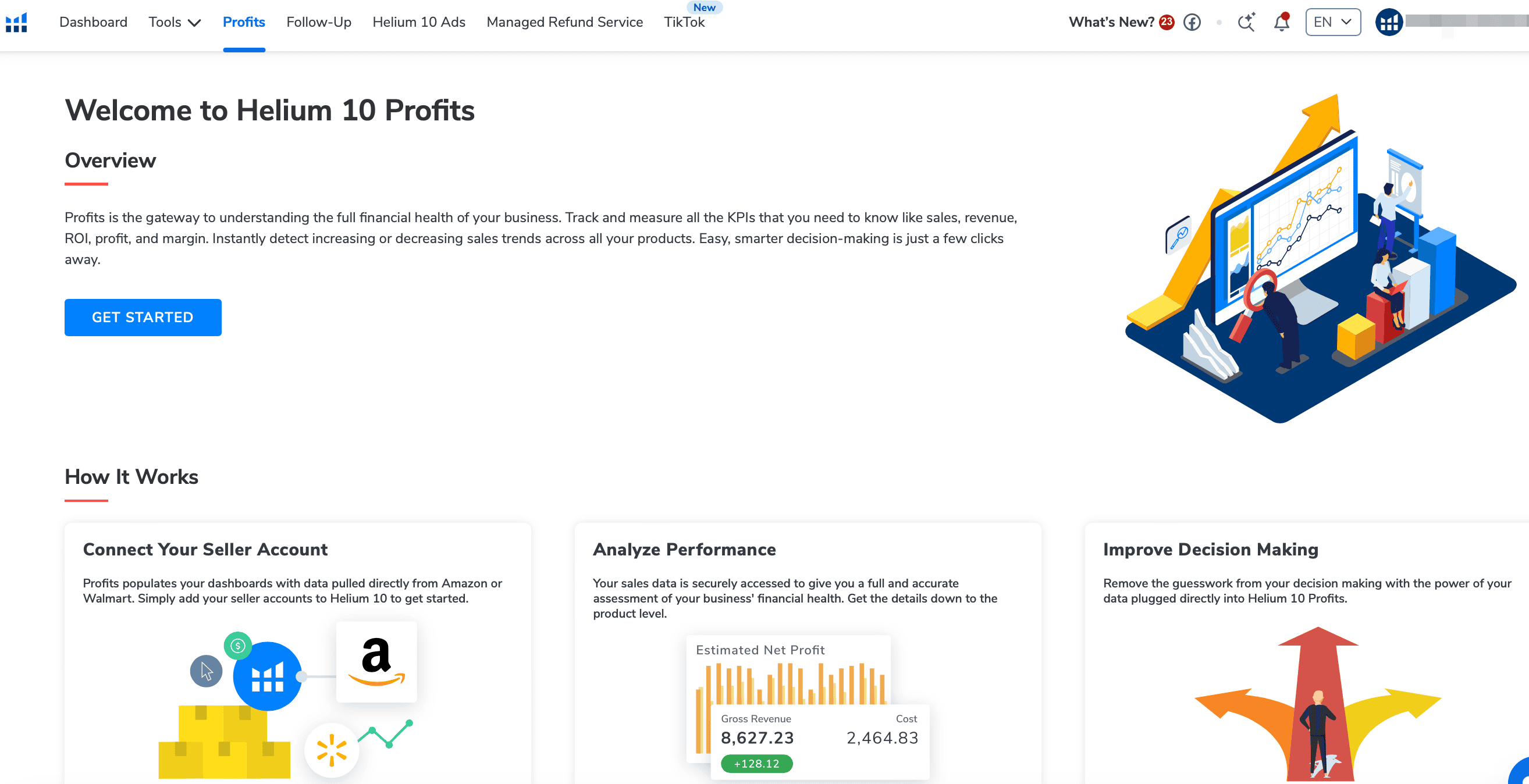
Helium 10’s Profits is the solution for exact information on the products you sell. It pulls accurate product sales data into one convenient dashboard, and this Amazon profitability software is a must for Amazon or Walmart sellers who want to scale.
Think of Profits as your business command center. Instead of juggling multiple reports and calculations, you get a unified view of what’s actually making money and what’s draining it. The tool connects directly to your Amazon Seller Central account, pulling real-time data for instant insight into your financial performance.
Understanding Its Role in Your Amazon Business
Profits sits at the heart of your decision-making process. The metrics that matter most for tracking your Amazon business health include:
- Gross revenue and net profit after costs — see your real bottom line, not just top-line sales
- Order volume and refund rates — track customer satisfaction and operational efficiency
- ROI trends over time — identify which products and strategies actually pay off
- Performance comparisons across product listings — spot winners and losers at a glance
Amazon profitability software should present these insights in an easy-to-read dashboard with performance graphs and modular organization that lets you drill down where needed.
Here’s where Profits becomes invaluable: it transforms raw Amazon data into actionable business intelligence. You’ll spot underperforming products before they tank your margins, identify your cash cows for reinvestment, and make data-driven restocking decisions that keep your business humming.
Is Profits Different from Helium 10’s Profitability Calculator?
Yes, and the distinction matters for your workflow. The Profitability Calculator is built into the Xray browser extension. It’s the quick profit estimator that pops up while you’re browsing Amazon, helping you evaluate potential products during research.
Profits is completely different. It’s your ongoing business dashboard, tracking real performance data from products you’re already selling. The calculator answers “Should I sell this product?” Profits answers “How profitable are my current products, and what should I do next?”
Core Features: How Profits Tracks Your Financial Health
Sales and Revenue Dashboard Overview
You get gross revenue from sales, net profits after estimated costs, and more, with analytics for the last 30 days, month-to-date, and year-to-date. Quickly identify which products are making you money and which are losing money, then take appropriate action.
The dashboard gives you multiple time ranges to analyze performance, everything from daily snapshots to yearly trends. You’ll see gross revenue, net profit margins, and cost breakdowns at a glance, and the visual graphs make it easy to spot patterns like seasonal dips or unexpected spikes that might signal inventory issues.
What we like most is how it highlights your winners and losers immediately. No more digging through reports for hours: problem products practically wave red flags at you.
Tracking Expenses, Fees, and COGS
This is where Profits really shines. With your Amazon product listing, sales analytics, and performance metrics all in one place, you get an instant and clear snapshot of the health of your Amazon business. Full access to this Amazon seller tool is a massive addition to the Platinum Plan.
The tool automatically pulls in Amazon fees, FBA costs, and referral fees, and you can also add custom expenses like product costs, advertising spend, and shipping. That comprehensive expense tracking means your profit calculations are accurate down to the penny, not rough estimates that can mislead your decisions.
Smart sellers use this feature to identify fee creep over time. Amazon’s fee structure changes periodically, and Profits helps you spot when those changes start eating into margins.
Monitoring Inventory Financial Performance
Create purchase orders while managing suppliers and inbound FBA shipments. Easy-to-read date ranges, graphs, and color-coding keep critical metrics visible.
The inventory management component helps you avoid the twin disasters of stockouts and overstock situations. You’ll see how much cash you have tied up in inventory, which products are moving fastest, and when it’s time to reorder.
The financial performance tracking here is brilliant: it shows inventory turnover rates and carrying costs, and helps you optimize your working capital. For sellers managing multiple SKUs, this prevents the common mistake of reinvesting profits into slow-moving inventory.
How Much Does Helium 10 Profits Cost?
Here’s the pricing breakdown for accessing Profits across different plan tiers:
| Plan | Monthly Price | Annual Price | Profits Access |
|---|---|---|---|
| Free | $0 | $0 | Limited Dashboard Only |
| Starter | $49 | $39 | Basic Sales Tracking |
| Platinum | $99 | $79 | Full Profits Access |
| Diamond | $279 | $229 | Full Profits + Advanced Features |
Whether you’re just starting out or taking an existing operation to the next level, the Platinum Plan — everything from the Starter Plan plus full access to Profits and Xray — offers the best blend of functionality and affordability.
The Platinum plan is the sweet spot for most sellers. You get full Profits functionality without paying for enterprise-level features you probably don’t need yet. For detailed pricing comparisons, see our comprehensive Helium 10 pricing guide.
Setting Up Profits: A Quick Guide
Getting Profits up and running is straightforward, but a few early choices decide how useful the data will be.
- Connect your Amazon account. Navigate to the Profits section in your Helium 10 dashboard and click “Connect Your Seller Account.” Choose Amazon (or Walmart if applicable) and select your marketplace region.
- Authorize data access. Connect up to 2 Amazon Seller Central or Walmart accounts. You’ll be redirected to Amazon to grant permissions, which is completely secure and standard for analytics tools.
- Set up cost of goods sold (COGS). This is crucial for accurate profit calculations. Input your product costs, shipping expenses, and any other direct costs.
- Configure custom expenses. Add recurring costs like storage fees, advertising spend, or monthly subscriptions that impact your bottom line.
- Review data sync. Amazon Seller Central provides this data under Reports → Business Reports → Sales & Orders. Allow 24-48 hours for historical data to populate fully.
Pro tip: set up your COGS immediately. Many sellers skip this step and then wonder why their profit numbers seem off. Without accurate cost data, you’re flying blind on actual profitability.
The Real Value: Is Helium 10 Profits a Good Investment?
Key Benefits for Amazon Sellers
Success still takes a full suite of tools (like Helium 10’s) and a very data-driven mind. What Profits adds is that your Amazon sales trends are always in front of you, so cost and revenue get measured accurately instead of estimated.
The biggest benefit? Time savings and decision clarity. Instead of spending hours creating custom reports, you get instant answers to critical questions: Which products should I discontinue? Where should I invest my next $10K? Am I pricing correctly?
We’ve seen sellers discover they were losing money on “bestselling” products because they weren’t accounting for all costs. Others found hidden gems in their catalog: low-volume products with killer margins that deserved more attention.
The refund tracking alone can save you hundreds monthly by identifying patterns and helping you claim reimbursements you didn’t know you were owed.
Who Should Consider Using Profits?
Profits makes sense if you’re:
- Doing $10K+ monthly revenue: below this threshold, basic spreadsheets might suffice
- Managing 5+ SKUs: the complexity of tracking multiple products is where Profits shines
- Scaling rapidly: fast growth requires better financial visibility
- Planning to exit: accurate profit tracking increases business valuation
If you’re still in the “testing products” phase with low volume, the Free or Starter plan might be sufficient until you hit consistent sales.
What Profits Doesn’t Cover: Understanding Limitations
No tool is perfect, and Profits has some gaps worth knowing about upfront.
- No external ad platforms. It doesn’t integrate with Facebook Ads or Google Ads, so if you’re driving external traffic you’ll need to manually input those costs for complete profit visibility.
- The 30-day sales widget is not included with the Starter plan and will display as blurred data. Lower-tier plans have restricted functionality, so you might need to upgrade sooner than expected.
- No forecasting of fee changes. Amazon fees are handled automatically, but the tool can’t predict future fee changes or seasonal fluctuations in storage costs. You’ll need to stay on top of Amazon’s announcements for forward-looking accuracy.
- Marketplace coverage is narrow. The focus is heavily on Amazon and Walmart. Helium 10 is expanding into other marketplaces, recently adding TikTok Shop support to Profits, but it still lacks full functionality for platforms like Shopify, Etsy, or eBay.