Helium 10 Refund Genie: A Guide to FBA Reimbursements

Helium 10’s Refund Genie helps Amazon sellers recover money lost to unclaimed FBA reimbursements, automatically. If you want to find out what Amazon owes you, grab the Helium 10 discount here and run your first scan.
Every day, sellers miss out on refunds for inventory Amazon loses or damages in its fulfillment centers. Amazon does reimburse some of these incidents, but many slip through unless you catch them manually and open a case. That is where Refund Genie comes in: it scans your account for missed reimbursements and helps you claim thousands of dollars that would otherwise stay in Amazon’s pocket.
What Is Helium 10 Refund Genie?
Refund Genie is an inventory reimbursement finder that helps Amazon sellers get money back for lost or damaged items that were never delivered. Think of it as a personal auditor that continuously scans your Amazon account for money you’re owed.
It automates the work of identifying claims for lost or damaged items and streamlines filing those claims with Amazon. Unlike other services that charge hefty commissions, Refund Genie lets you keep every dollar. No commissions.
The tool audits your FBA transactions and cross-references them with Amazon’s reimbursement records. In our experience, a lot of those transactions slip through the cracks, and Amazon does not reimburse those amounts unless you open a case.
Here’s what makes Refund Genie different from competitors:
- Zero commission fees. Keep 100% of recovered funds.
- Automated auditing. Monthly scans of your account.
- Easy-to-use reports. Clear data you can submit directly to Amazon.
- Comprehensive coverage. Finds lost, damaged, and misplaced inventory.
For high-volume sellers who want a completely hands-off service, Helium 10 also offers Managed Refund Service through its Platinum and Diamond plans.
How Refund Genie Finds Your Money
Refund Genie digs into your Amazon data to spot discrepancies between what you sent to Amazon and what Amazon actually reimbursed you for. Helium 10 built it to do that deep data research on your behalf, so you can see the refunds Amazon may owe you.
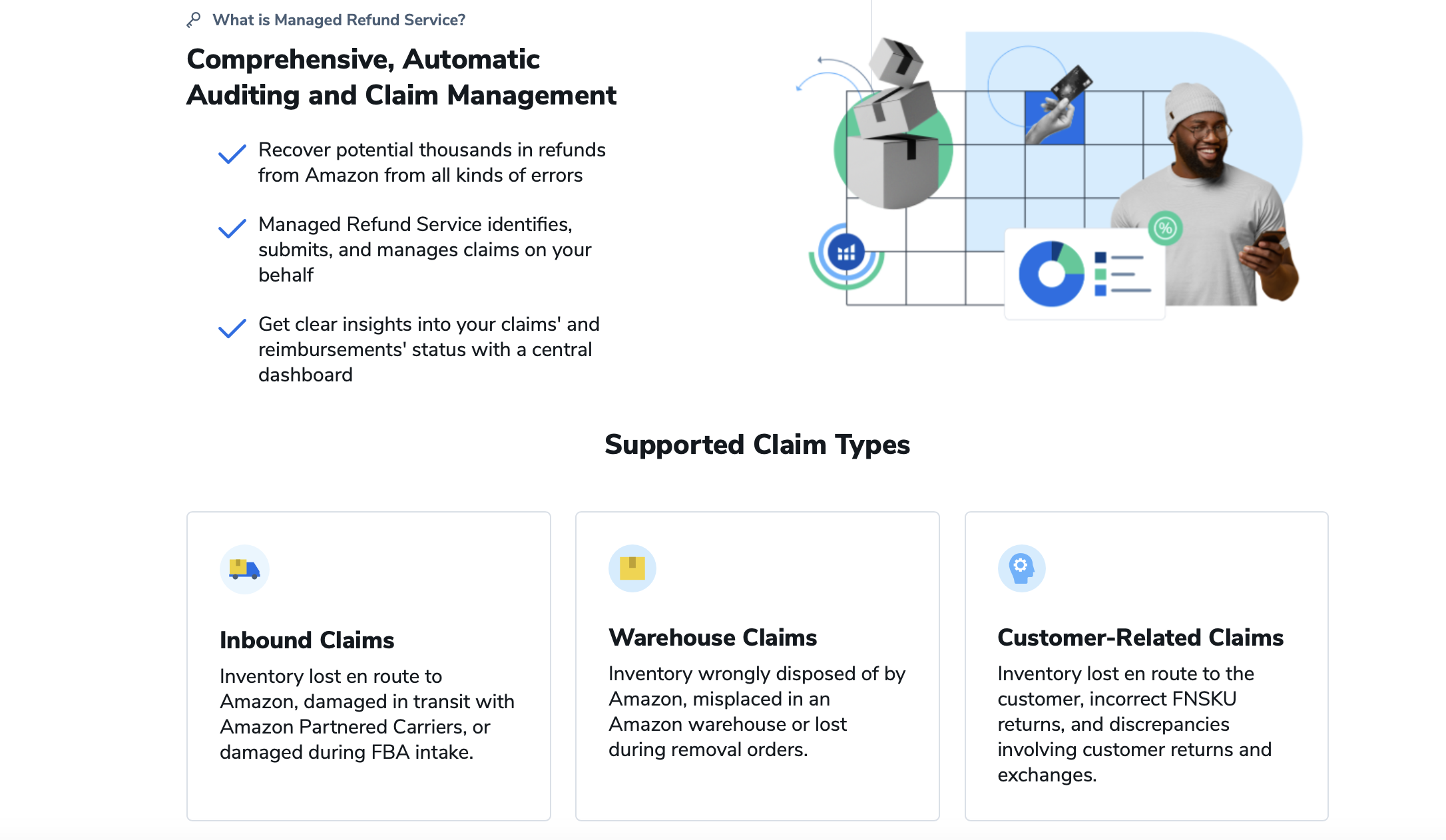
The tool identifies several types of reimbursable incidents:
- Lost inventory in warehouses. Items that disappear during storage.
- Damaged products. Items damaged while in Amazon’s care.
- Customer return issues. Returns that weren’t properly processed.
- Removal order problems. Items lost during removal requests.
- Inbound shipment discrepancies. Missing items from your shipments.
Data is collected once a month, so you get regular updates on potential reimbursements. The system compares your inventory ledger against Amazon’s reimbursement reports to catch transactions that slipped through the cracks.
What’s particularly valuable is that the audit runs on its own, saving you hours of manual report analysis. For many Helium 10 users, the money Refund Genie recovers more than covers the cost of Helium 10 itself.
The tool even accounts for Amazon’s recent policy changes. As of November 1, 2024, Amazon proactively issues reimbursements for FBA items lost in its fulfillment centers, so many cases no longer need manual research or claims filing. Refund Genie can still sniff out owed money that might have slipped through.
How to Use Refund Genie: Step-by-Step
Getting started with Refund Genie is straightforward, but you’ll need to connect your Amazon account first.
Step 1: Access Refund Genie
Log in to Helium 10 and click the Tools drop-down menu at the top. Under the Operations section, select Managed Refund Service. Then, in the left-hand sidebar, click the Refund Genie tab.
Note: Refund Genie is available on the Platinum plan and above.
Step 2: Wait for Data Collection
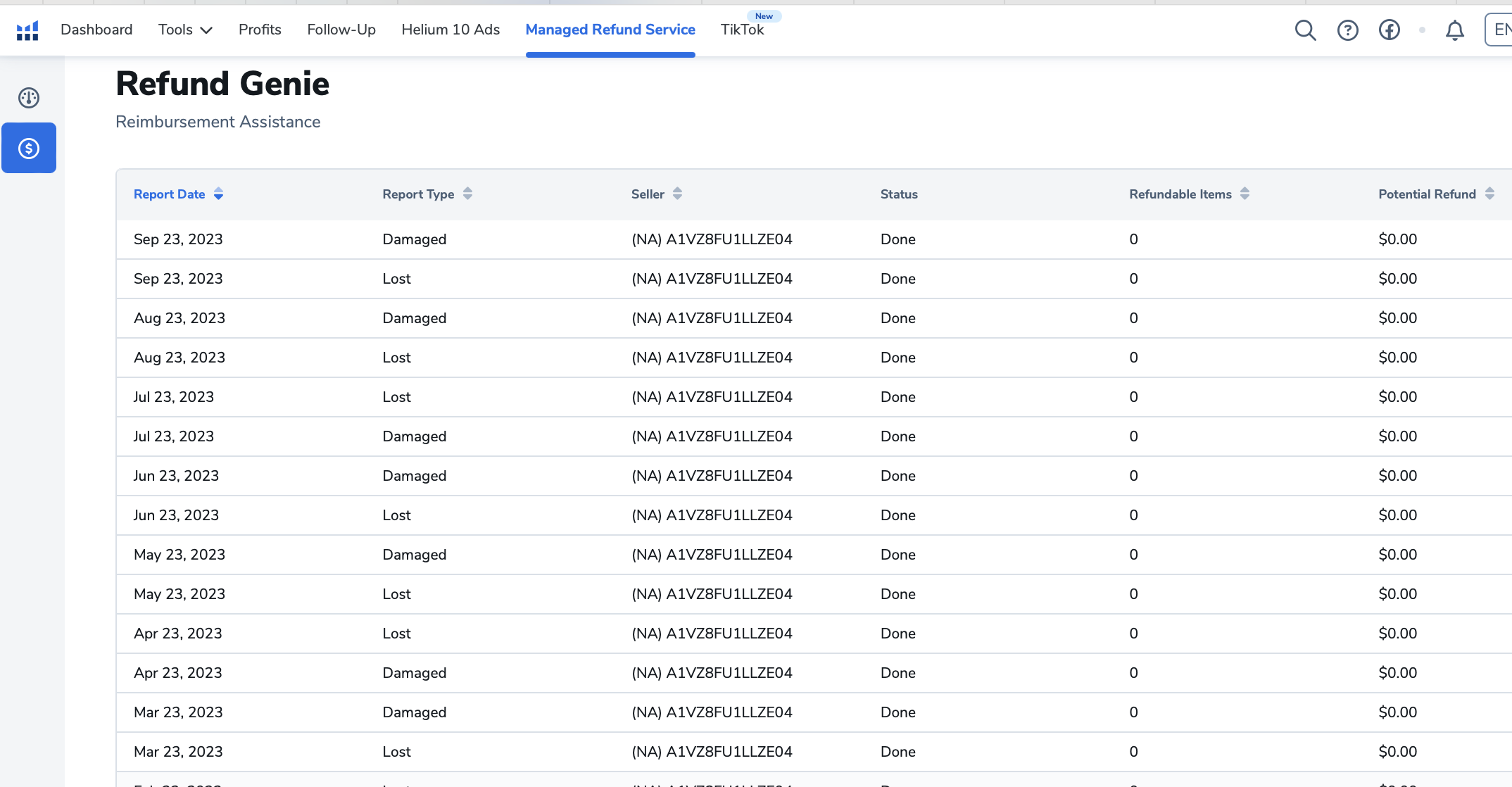
The Refund Genie dashboard columns will not have data initially, and you need to have had products returned before anything populates. Be patient: the initial scan can take up to 24 hours.
Step 3: Review Your Dashboard
Once your data is collected, the fields in the table populate. Each row represents a returned item, with columns for report date, potential refund amounts, and download options.
Step 4: Download Reports
Click the green Download button in the last column to download your refund report. The folder contains three items: a lost/damaged summary, a lost/damaged txt file, and instructions.
Step 5: Submit Claims to Amazon
Once Refund Genie generates your report, you have two ways to recover your money:
- Manual submission. Follow the instructions.txt file included with your report. It guides you step by step through filing claims in Amazon Seller Central. Submit no more than 5 SKUs at a time to avoid triggering any red flags.
- Automated claims. Upgrade to the Platinum plan to unlock Managed Refund Service, which automates the entire process from claim filing to tracking and recovery. No manual work needed.
Choose the method that fits your workflow and start reclaiming the money Amazon owes you.
Maximize Your Recovery with Additional Tools
Refund Genie works even better combined with other Helium 10 tools. Helium 10 Alerts notifies you of inventory issues in real time, and Seller Assistant monitors your overall account health.
For sellers dealing with larger volumes, upgrading to get access to Managed Refund Service can be worth the investment. Note that it is not free the way Refund Genie is: Diamond users receive a monthly invoice for 15% of any successfully recovered reimbursements, while Platinum users receive a monthly invoice for 18%.
With this hands-off approach, Helium 10’s claims specialists audit up to 18 months of your FBA transactions, identify eligible reimbursements, file claims on your behalf, and work to recover the maximum possible refunds.
Don’t Leave Money on the Table
Amazon FBA reimbursements represent real money that’s rightfully yours. This is one of those rare cases where doing nothing can cost you thousands of dollars in Amazon FBA seller refunds and reimbursements.
Refund Genie takes the guesswork out of finding those opportunities. With zero commission fees and automated auditing, it’s one of the most cost-effective ways to recover lost revenue, and it often pays for itself within the first month of use.
Ready to see how much Amazon owes you? Start a Helium 10 Platinum plan and open Refund Genie. For more detail on everything else in the suite, see our Helium 10 FAQ guide.